Muslim Chat · halal messaging appPrivate messaging, the halal way.
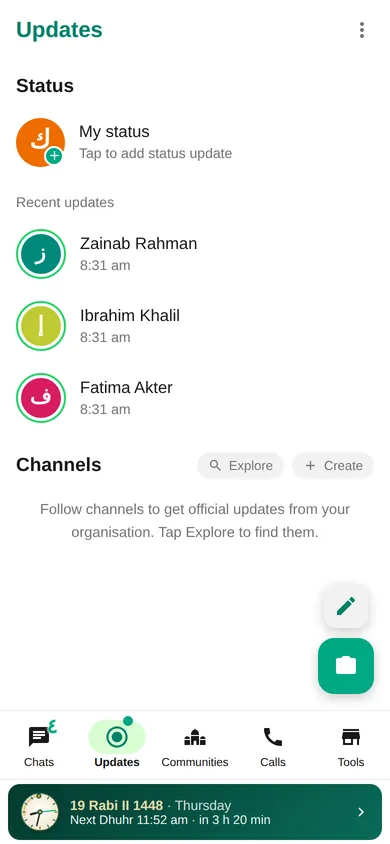
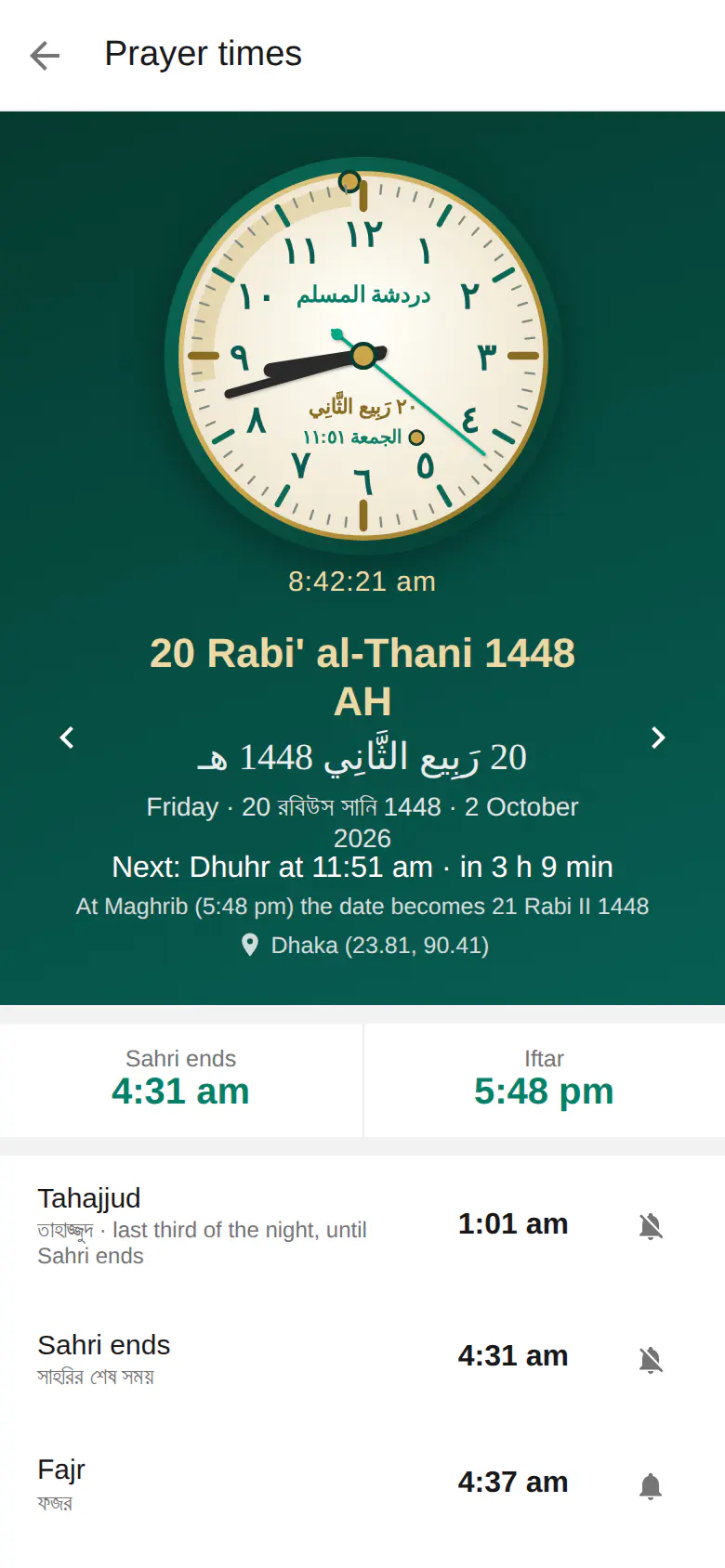
Chats, groups, voice notes and HD+ voice calls — plus PalChat voice rooms, TeamChat, Islamic radio and prayer times. No video calling. Premium features are available too.
Download for Android Open web chat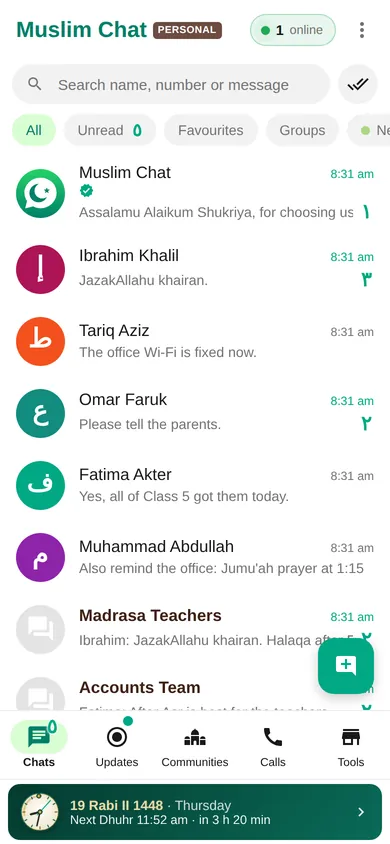
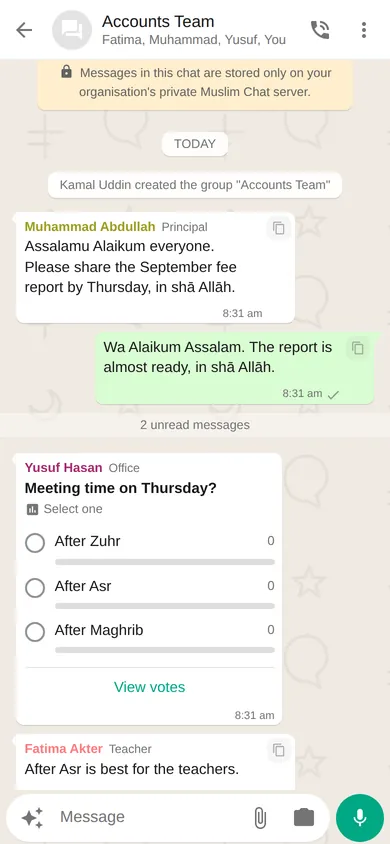
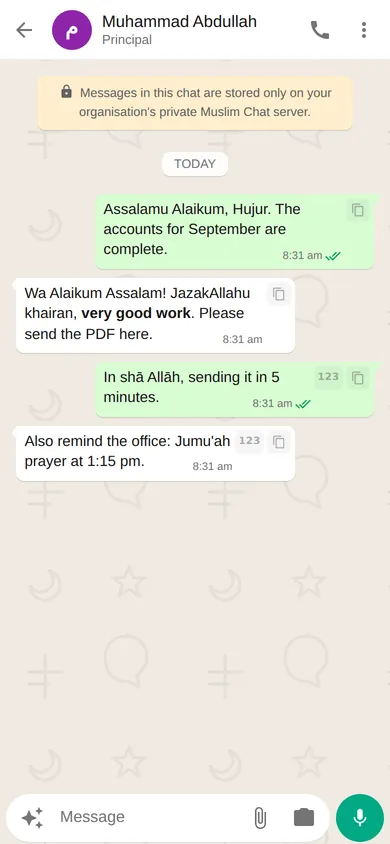
Everything you need — the halal way
Tap a feature to learn more.
Read and listen to the Holy Quran
All 114 Surahs as real Indo-Pak or Madani Mushaf pages, six reciters, word meanings and offline reading — a hadiya. কুরআন শরীফ পড়ুন ও তিলাওয়াত শুনুন।
More than messaging
In the latest update
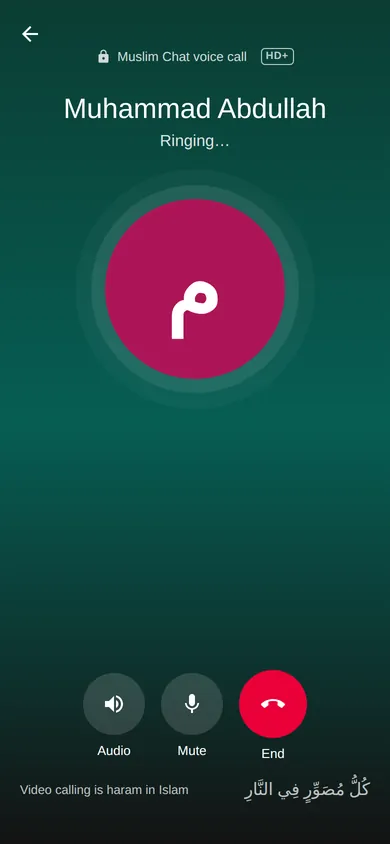
Video calling is haram in Islam
Because it depicts images (taswir) of living beings. So Muslim Chat has text, voice notes and voice calls only, with no video calling at all. The Android app doesn't even ask for camera permission for calls.
كُلُّ مُصَوِّرٍ فِي النَّارِ، يَجْعَلُ لَهُ بِكُلِّ صُورَةٍ صَوَّرَهَا نَفْسًا فَتُعَذِّبُهُ فِي جَهَنَّمَ“Kullu musawwirin fin-nar” — Every image-maker is in the Fire. For every image he made, a soul will be made for him, and it will punish him in Hell.Sahih Muslim 2110 · narrated by Ibn Abbas (RA)
How to join
- Install the appDownload Muslim Chat for Android and install it. New to installing apps from outside the Play Store? Watch the 1-minute guide. You can also use the web chat on a computer.
- Enter your numberType your mobile number and the 6-digit code that arrives by SMS — the Android app fills it in by itself. Then your name and, if you like, your name in Arabic.
- Start chattingSearch a name or phone number to find people, join groups by invite link, and explore Communities: PalChat, Islamic radio, TeamChat and No Ad | Browser.
Learn every feature in 6 minutes
Recorded from the real app, with Bangla and English captions — including the new TeamChat and Hijri birthday wishes.
Save video to share · অ্যাপে: Settings → Video tutorial
Install the Android app
Muslim Chat isn't on the Play Store, so Android asks a few extra questions the first time. It takes about a minute.
Watch the 1-minute video
The 5 steps · ধাপগুলো
Download the app
Open muslimchat.online in Chrome and tap Download for Android. If Chrome warns you, tap Download anyway.
Chrome-এ muslimchat.online খুলে “Download for Android” চাপুন। সতর্কবার্তা এলে “Download anyway” চাপুন।
Open the file
When the download finishes, tap Open. You can also find it later in Files → Downloads → Muslim Chat.apk.
ডাউনলোড শেষ হলে “Open” চাপুন। পরে Files → Downloads ফোল্ডারেও ফাইলটি পাবেন।
Allow installing from Chrome
If your phone says it isn't allowed to install unknown apps, tap Settings, turn on Allow from this source, then go back.
অনুমতি চাইলে “Settings” চাপুন, “Allow from this source” চালু করে পেছনে ফিরে আসুন।
Install
Tap Install. If Play Protect shows a warning, tap More details → Install anyway.
“Install” চাপুন। Play Protect সতর্ক করলে “More details” চেপে “Install anyway” চাপুন।
Open and sign in
Tap Open, allow notifications, then type your mobile number, the 6-digit code from the SMS (the app fills it in by itself) and your name.
“Open” চাপুন, নোটিফিকেশন “Allow” করুন, তারপর মোবাইল নম্বর ও নাম দিন। SMS-এ আসা ৬ সংখ্যার কোডটি অ্যাপ নিজেই বসিয়ে দেয়।
Phone warns me or I'm stuck

Muslim Chat for iPhone
Install it from Safari — no App Store needed.
- 1On your iPhone, open chat.muslimchat.online in Safari
- 2Tap the Share button ⬆ at the bottom
- 3Tap Add to Home Screen, then Add
- 4Open Muslim Chat from your home screen, log in with your mobile number and tap Turn on notifications
Needs iOS 16.4 or newer for notifications. Voice calls work inside the app; when the app is closed, an incoming call arrives as a notification — tap it to answer.
Watch the iPhone video
Muslim Chat for computers
Open the app on your computer and scan the QR code with Muslim Chat on your phone (Menu ⋮ → Linked devices).
Frequently asked questions
Does Muslim Chat cost anything? What is Premium?
Muslim Chat is a hadiya (gift) for all Muslim Ummah: chats, groups, voice notes, voice and group calls, PalChat, TeamChat, the Islamic radio, prayer times and No Ad | Browser cost nothing, and there are no ads. Optional Premium features, such as a Verified Business, call recording, calligraphy stickers, 10 pinned chats and 48-hour Status, are given by the administrator.
Why is there no video calling?
Video calling is haram in Islam because it depicts images (taswir). The Prophet ﷺ said: كُلُّ مُصَوِّرٍ فِي النَّارِ “Kullu musawwirin fin-nar” — Every image-maker is in the Fire (Sahih Muslim 2110). So Muslim Chat supports messages, voice notes and voice calls only.
Where are my messages stored?
On our organisation's own Muslim Chat server. They aren't shared with advertisers or sold to any company. See Privacy for exactly what is kept and where.
Can I use Muslim Chat on my computer?
Yes. Install Muslim Chat for Windows, Mac or Linux, or open chat.muslimchat.online in Chrome or Edge. Then scan the QR code with Muslim Chat on your phone: Menu ⋮ → Linked devices → Link a device.
Is there an iPhone app?
Yes. On your iPhone open chat.muslimchat.online in Safari, tap Share → Add to Home Screen. See the steps.
What is PalChat?
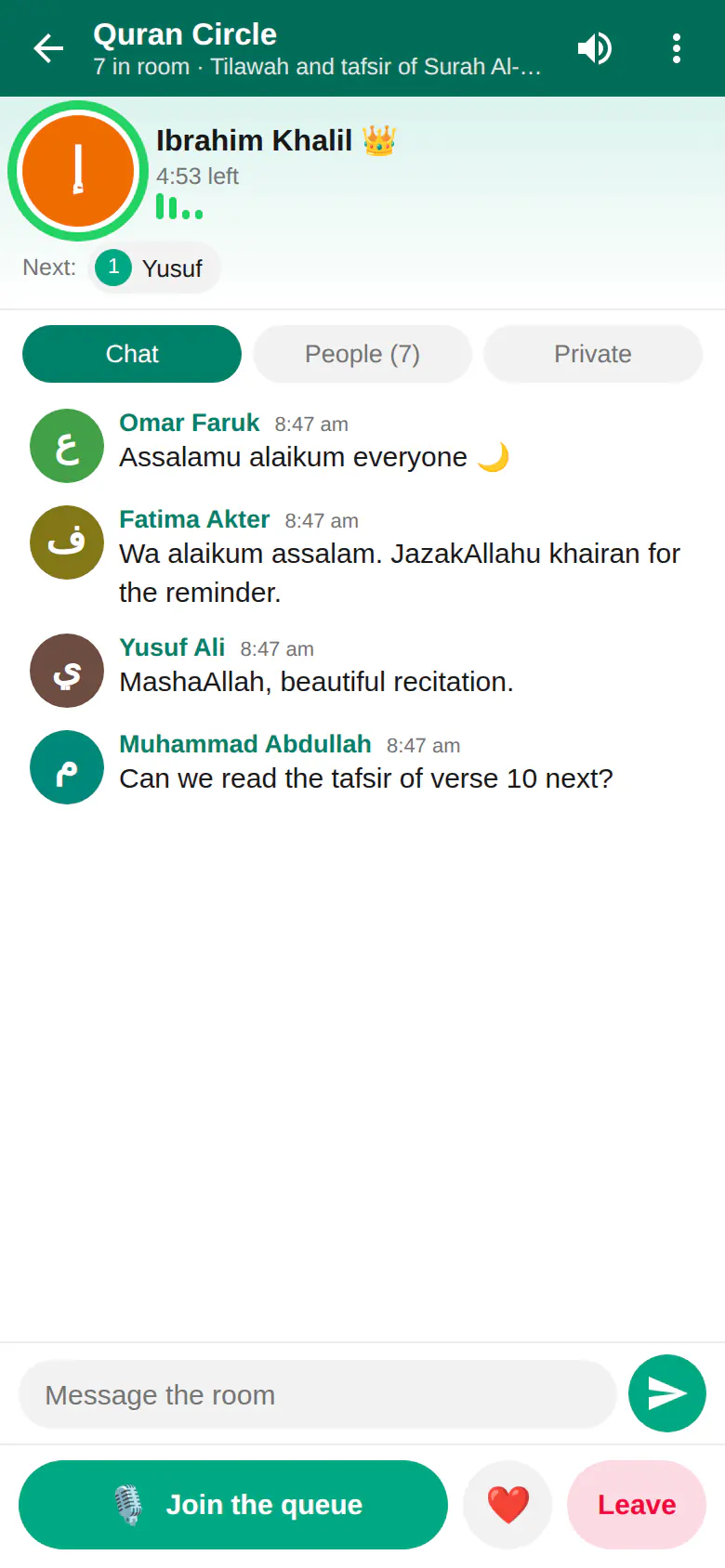
PalChat is Muslim Chat's live voice and text rooms, like Paltalk: Quran circles, Islamic talks, nasheed evenings and Bangla adda, with one speaker at a time and a fair mic queue. Open Communities → PalChat. More about PalChat.
What is TeamChat?
TeamChat lets you see and control another computer, like AnyDesk — from a computer or your phone — once the other person accepts and chooses the permissions. Every device with Muslim Chat has a 9-digit TeamChat ID. More about TeamChat.
Does Muslim Chat have a browser with no adverts?
Yes. No Ad | Browser, in Communities on Android (1.8.0 and newer) and computers (1.7.0 and newer), blocks adverts, trackers and pop-ups, and Halal Guard blocks adult and gambling sites. More about No Ad | Browser.
How many people can join a group call?
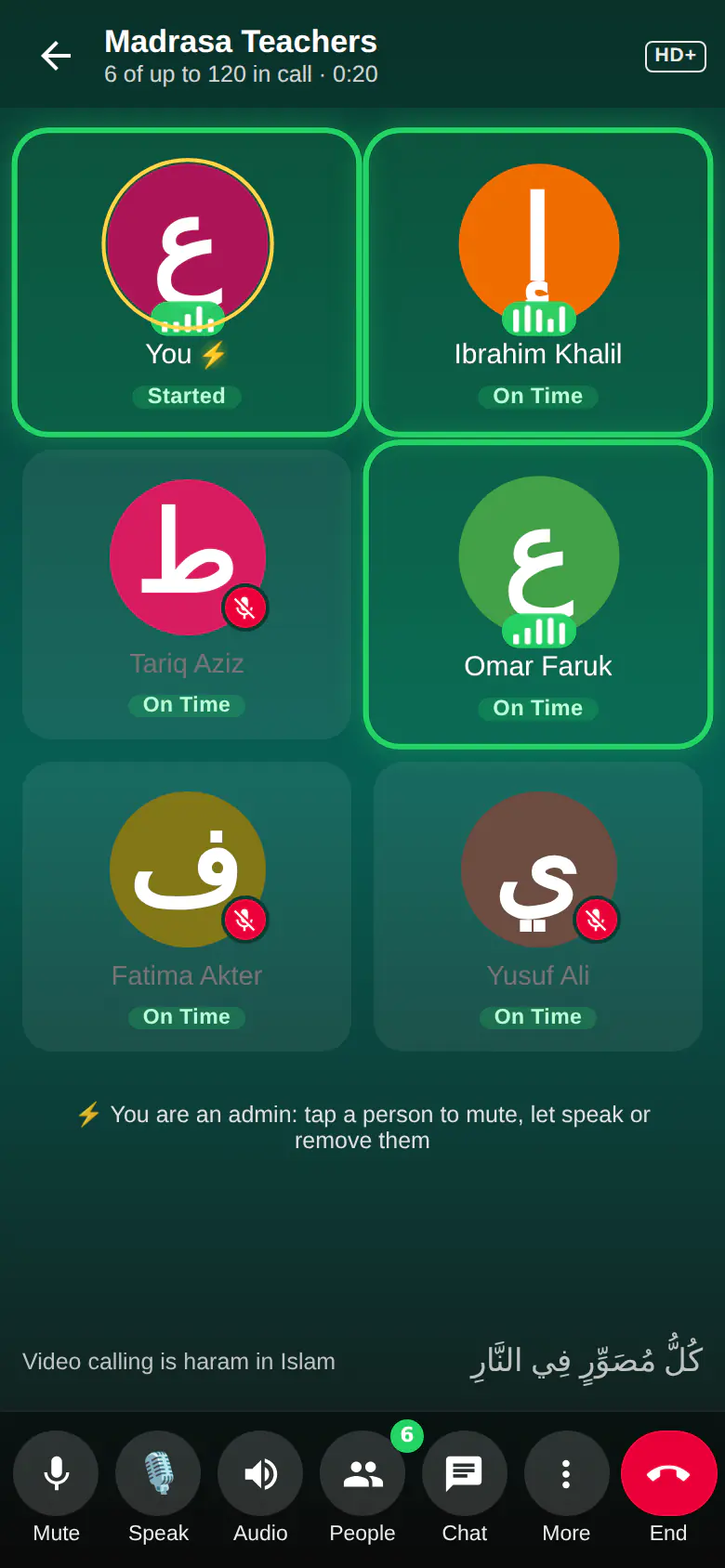
Up to 50 people, or 120 when a Premium member starts the call. Group calls are voice only, with call links, mute all and lock. More about group calls.
Are Muslim Chat calls HD?
Yes. HD+ Voice uses full-band 48 kHz Opus — sound up to 20 kHz, against about 7 kHz on most VoLTE calls and 3.4 kHz on a normal call — with packet repair for weak networks. More about HD+ Voice.
How do I hide a chat?
Long-press the chat, tap More → Lock chat and create a secret code. The chat leaves your list and opens from Locked chats at the top, with your code. More about hidden chats.
Does Muslim Chat update itself?
Yes. The Android app updates itself, the Windows app installs new versions when you are not using it (never during a call), and the web app loads new code by itself (never during a call or while you type). More about automatic updates.
What is m.muslimchat.online?
The light Muslim Chat mobile site. Phones that open muslimchat.online go there automatically; tap Desktop site at the bottom to see the full site. More about the mobile site.
Privacy: what Muslim Chat keeps and where
Your messages, files, voice notes and profile are stored on the Muslim Chat server run by Muhammadia Jamia Shareef (in Bangladesh), not by any advertising company. They are protected by the login and by https on the way, but they are not end-to-end encrypted: the server's administrators can, in principle, read them, as they can in any office messaging system. Please don't use Muslim Chat for secrets that must be hidden from the organisation itself.
What leaves the server: the internet connection goes through Cloudflare, which handles the secure (https) connection and carries it to the server through an encrypted tunnel, so it passes through Cloudflare's servers. Push notifications reach your phone through Google's or Apple's notification service and carry the sender's name and a short preview. Voice calls use Google's public address-finding service (STUN) to connect phones directly; the call itself never goes through Google. When you paste a web link, the server fetches that page to show a preview.
This website uses no tracking cookies (the only cookie remembers whether you chose the mobile or the full site). It keeps a random visitor number in your browser and counts pages, the country, and the kind of device and browser, so we know how many people visit. No name, number or address is collected.
Delete your account any time in Muslim Chat: Settings → Delete my account. Your name, number, picture and profile are removed at once; messages you already sent stay in the chats marked "Deleted account". Backups of the server are kept for up to 90 days.
I'm not getting notifications on my phone.
Allow notifications for Muslim Chat, and turn off battery optimisation for it. On Oppo, Realme and Xiaomi phones, also turn on "Allow background activity" and "Auto launch".